
Internet safety for seniors is about much more than passwords; it includes how you browse, shop, use public WiFi, interact on social media, and recognize emerging threats like AI-powered scams. With a few clear habits and the right tools, older adults and their families can significantly reduce the risk of online fraud, identity theft, and financial loss.
Why Does Internet Safety For Seniors Matter?
Aging adults are a prime target for online scams because they often have established savings, may be less familiar with fast-changing technology, and are more likely to trust calls, emails, or messages that look official. New tools like artificial intelligence (AI) make fraudulent emails, websites, and voice calls look and sound more realistic than ever, making traditional red flags harder to spot.

Common online safety risks for older adults include:
- Identity theft and financial fraud through phishing emails, fake websites, and phone scams
- Unauthorized access to banking, shopping, email, or social media accounts through weak or reused passwords
- Privacy loss when too much personal information is shared on social media or in online forums
Ways To Practice Online Safety For Older Adults
Create a strong password
Passwords remain a critical first line of defense for internet safety for seniors, but they need to be handled securely and in a way that is manageable for everyday use.
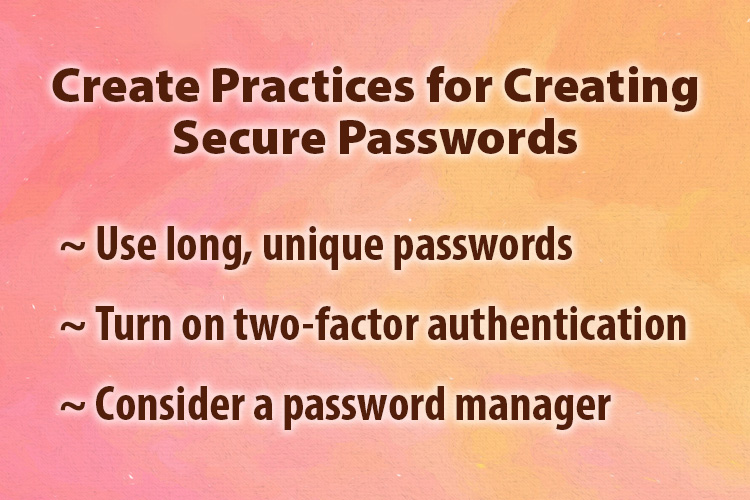
Key practices for creating secure passwords:
- Use long, unique passwords: Aim for 14–16 characters with a mix of uppercase and lowercase letters, numbers, and symbols, and never reuse the same password across important accounts.
- Turn on two-factor authentication: For banking, email, and shopping accounts, add two-factor authentication so logging in requires both your password and a temporary code sent by text, email, or an authenticator app.
- Consider a password manager: Password managers store all your logins in one encrypted “vault,” generate strong passwords, fill them in for you, and sync across devices, so you only need to remember one master password.
When choosing a password manager, look for: a built-in password generator, password-strength reports, support for two-factor authentication, auto-fill for websites and apps, secure storage for offline PINs (like ATM codes), and syncing across your phone, tablet, and computer.
Browse Safely Using WiFi, Hotspots, and VPNs
How and where you connect to the internet affects how easy it is for others to “listen in” on your activity.
Safer internet browsing safety habits for seniors:
- Avoid doing sensitive tasks on public Wi-Fi: Do not log in to banking, medical, or shopping accounts on free networks in coffee shops, airports, or hotels, because others on the same network may be able to intercept your data.
- Prefer your phone’s hotspot: If you must access important accounts away from home, using your smartphone’s personal hotspot is usually more secure than public WiFi.
- Use a reputable VPN: A virtual private network (VPN) adds an encrypted “tunnel” between your device and the internet, which is especially useful on shared or public networks.
At home, keep your WiFi secure by changing the default router password, using strong encryption, and only sharing your password with people you trust.
Safely Shop Online
Shopping online can be safe and convenient when you take a few precautions about where and how you pay.
Smart online payment and shopping tips for older adults:
- Use credit cards, not debit cards: Credit cards typically offer stronger fraud protections and do not give scammers direct access to your bank account the way debit cards do.
- Stick with trusted merchants: Type the website address yourself or use verified bookmarks rather than clicking links in emails or texts, and be cautious with unfamiliar sellers with limited reviews or contact information.
- Check for secure websites: Look for “https” and a lock icon in your browser’s address bar, which indicates an encrypted connection between your device and the website.
- Watch your statements: Review your credit card and bank statements regularly so you can quickly report any charges you do not recognize.
If a deal looks too good to be true, it usually is. Deeply discounted prices or “limited time” offers that demand immediate payment are often signs of scams.

Stay Safe When Using Social Media
Social media helps older adults stay connected, but it can also expose personal details that scammers exploit. A few privacy-focused steps make Facebook and similar sites safer for seniors.
Practical Facebook safety tips for seniors:
- Limit who can see your posts: Use Facebook’s privacy settings so only friends (not “Public”) can see what you share, including photos and personal updates.
- Be cautious about personal details: Avoid posting your full birthdate, address, phone number, travel plans, or daily routines, all of which can be used for identity theft or targeted scams.
- Watch for fake friend requests: Ignore or decline requests from people you do not know, or accounts that duplicate a friend’s name and photo; if something seems odd, contact the real friend by phone or a separate message.
- Think before you click: Do not click links in messages that seem emotional, urgent, or out of character for the sender; hackers often send malicious links from compromised accounts.
Because scammers can now pull audio or video clips from social media to clone voices and images, consider tightening privacy on old posts and limiting how much video or audio of yourself and your family is publicly visible.
How Do I Recognize AI-Powered Scams?
AI has made some scams dramatically more convincing, especially those that imitate loved ones or trusted organizations. Understanding these newer tactics helps aging adults pause and verify before responding.
Common AI-enhanced scams targeting seniors:
- Voice cloning “emergency” calls: Scammers can use a short audio clip (from social media or a voicemail greeting) to imitate a child or grandchild, claiming to be in urgent trouble and asking for money or gift cards.
- Deepfake videos: Fraudsters can generate realistic video calls that appear to show a family member, caregiver, or financial professional, then pressure you to move money or share sensitive information.
- AI-written phishing emails and fake websites: Emails and websites can now be written in smooth, error-free language and customized to your interests, making it harder to tell real from fake messages that claim to be from banks, government agencies, or online stores.

Simple protections against AI scams that older adults can take:
- Always verify unexpected requests: If you receive a call, text, or email asking for money or personal information, even if the voice or video looks real, hang up and call back using a trusted phone number you already have.
- Create a family “code word”: Agree on a secret word or phrase only close family knows to use in a real emergency; if a caller cannot provide it, end the conversation.
- Reduce public audio and video: Tighten privacy settings and remove unnecessary public recordings that could be reused for voice cloning.
What Are Helpful Defenses and Support?
Good “digital housekeeping” makes it much harder for scammers to succeed. Families and communities can help older adults put these protections in place.
Defenses that can protect against scams targeting seniors include:
- Keeping devices and apps updated: Turn on automatic updates for your computer, tablet, and smartphone so security fixes install as they are released.
- Using security software: Install reputable antivirus or internet security software, and let it run regular scans and block suspicious activity.
- Treating unexpected contacts with caution: Government agencies, banks, and legitimate companies will not pressure you to act immediately, pay with gift cards, or share passwords over the phone or by email.
- Asking for help early: If something feels off, stop, save any messages, and ask a trusted family member, friend, or team member at Someren Glen to review it with you.